


Flyer Maker, Poster Maker
4.814.16K Reviews
App Specs
- Version
- 197.0
- Updated On
- License
- Free
- Downloads
- 10,000,000+
- Developer
- DesignWiz Apps
- Categories
- Art & Design
- Platform
- Android, iOS
Screenshots
 Analysis by AppCompare
If you're like me and have always wanted to dip your toes into the world of design without diving into complex software like Photoshop, then Flyer Maker, Poster Maker might just be the app you’ve been looking for. I recently gave it a whirl, and let me tell you, I was pleasantly surprised by what it has to offer.
What to expect from a quick design app
This is an art and design app from Apps You Love, aimed at people who need a visual piece without first learning a professional design program. The basic idea is approachable: start with a ready-made layout, then adjust it until it suits your message. That makes it a practical place to begin if a blank canvas feels intimidating, though it won’t replace a desktop editor for detailed, production-heavy work.
It is free to download, and its Everyone age rating makes it suitable for a broad audience. The app has a 4.7 average from around 374,000 ratings, with over 10 million installs. Those figures suggest it has found a large audience, but I’d still judge it by whether its templates and editing approach fit the kind of work you actually need to do.
Getting Started: Simplicity at Its Best
When I first opened Flyer Maker, Poster Maker, I was greeted with a clean and minimalistic interface. It’s super intuitive, which is a breath of fresh air compared to some other design apps out there. Even if you’ve never designed anything before, the app guides you smoothly with its easy-to-understand layout.
For a first attempt, I’d recommend choosing one clear purpose before browsing: a notice for a school event, a small-business promotion, or a social post announcing a sale. Knowing where the design will appear helps you make sensible choices about how much text to include and what deserves the most visual attention. It also makes template browsing less overwhelming; you can dismiss styles that don’t suit the message instead of scrolling without a plan.
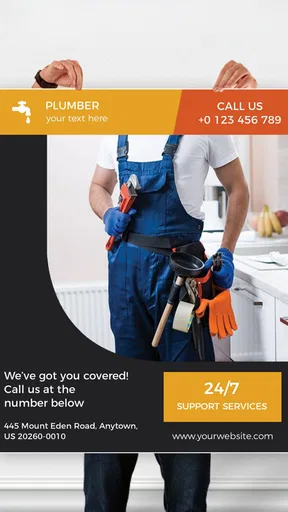
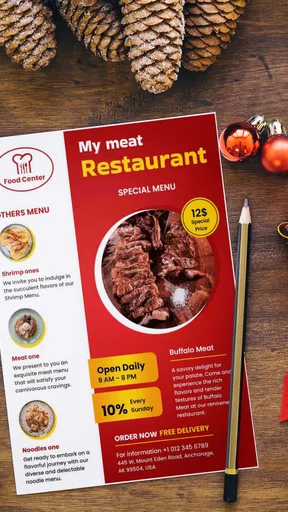
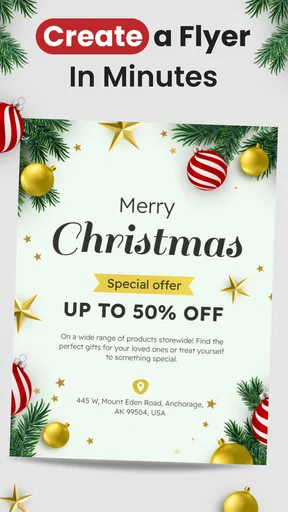
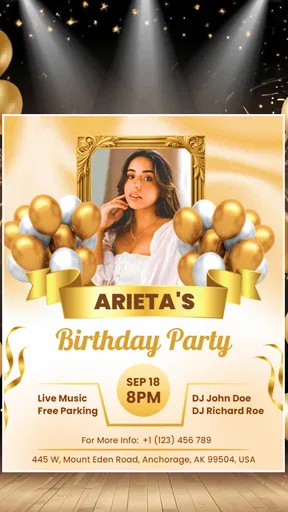
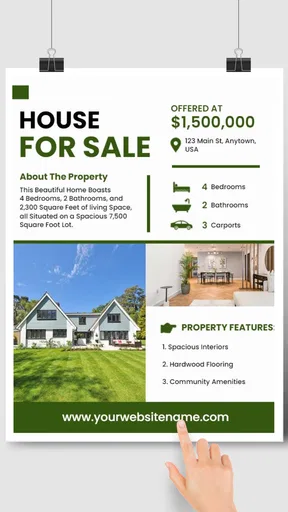
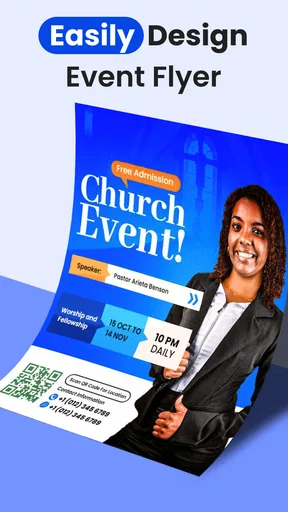
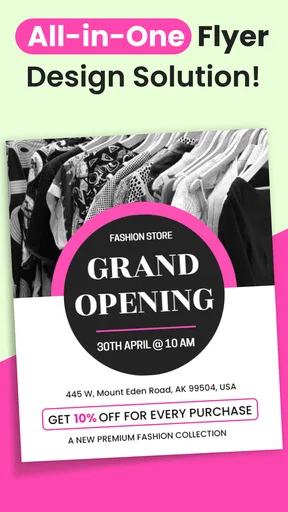
The app offers a variety of templates right off the bat. Whether you're looking to create a flyer for an event or a poster for your new startup, there’s a template for it. I found myself scrolling through a plethora of options, each more vibrant and eye-catching than the last. I settled on a sleek, modern template for a fictional music event, and the real fun began.
Customization: Your Design, Your Way
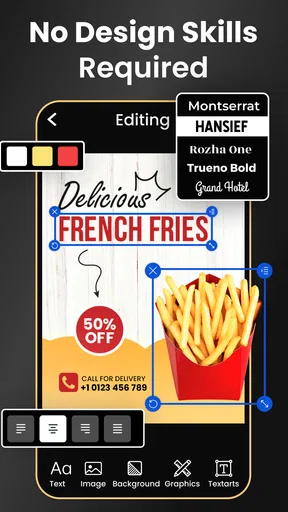
Once you’ve chosen a template, the customization options are where the app truly shines. You can tweak everything—fonts, colors, images—making each flyer or poster truly your own. I spent a good chunk of time experimenting with different font styles and colors, and it’s safe to say, the possibilities are endless.
Worth Reading Before You Choose

EA SPORTS FC Mobile 26 Is a Bigger Football Game, but It Takes Time

Flipboard Shows What News Apps Must Do Beyond the Feed

Switching to Android Auto Means Rethinking Your Driving Routine

Google Calendar Makes a Crowded Week Easier to Manage

Ludo King Makes the Most of the Minutes Between Plans

Baby Panda World Brings Quick Play to Modern Phones, but Its Game Library Feels Busy
One useful habit is to make the headline readable before adjusting decorative details. On a phone screen, it is easy to get absorbed in color combinations and small flourishes while overlooking whether the central message stands out. I’d keep the wording short, make the key information visually distinct, and then check the layout at a smaller viewing size. A design that looks attractive when zoomed in may be harder to read in a social feed or from across a room.
The app also allows you to add your own images, which is perfect if you have specific branding elements you want to incorporate. I uploaded a few of my own graphics, and they fit seamlessly into the design. It’s like having a mini design studio right at your fingertips!
Using your own image can make a template feel less generic, but it also introduces a trade-off: the picture needs to work with the layout rather than compete with the text. For a local café promoting a weekend special, for example, I’d choose one clear photo and let the offer remain the focal point. If the image is busy, changing the background or simplifying the copy may be more effective than adding further decoration.
Features: More Than Meets the Eye
What I love about this app is that it doesn’t just stop at flyers and posters. The app includes tools for creating everything from business cards to social media graphics. It’s a one-stop shop for all your design needs, which is a huge plus if you’re managing multiple projects.
That range is most helpful when one message needs to appear in more than one place. I’d make the main design first, then adapt its core wording and visual identity for a smaller format instead of trying to squeeze a full poster into a social graphic. A business card has very different space constraints from an event flyer, so checking every version independently is worth the extra moment. Reusing a look can save time, but each format still needs to be easy to read on its own.
One feature that stood out to me was the ability to share your designs directly from the app. Whether you want to send it via email, share it on social media, or print it out, the app makes it incredibly easy. I tested this by sharing a flyer on my Instagram, and the process was seamless.
For a first successful project, try a simple announcement with a short headline, a date or other essential detail, and one supporting image. Before sharing or printing, read it as if you were someone seeing it for the first time: can you tell what is happening and what action to take? This quick check catches the kind of missing detail that is easy to overlook while concentrating on appearance. If the design is intended for printing, review its legibility at the size you plan to use rather than relying only on how it looks on your phone.
Where it fits—and where it doesn’t
Compared with starting from scratch in a more complex graphics editor, a template-led app is faster and friendlier for routine promotional material. That convenience is the point: it helps a first-time user get to a finished-looking draft without having to build every element by hand. On the other hand, someone who needs precise control over layers, detailed image retouching, or a carefully managed print workflow may be better served by a full design program.
I’d recommend it to a club volunteer making an event notice, a small seller preparing a simple promotion, or anyone who wants a quick social graphic and is comfortable refining a template. It is less suitable if your work depends on exact brand specifications or if you need advanced control over every part of a composition. In those cases, convenience is not enough; the extra learning curve of a more capable editor may be worthwhile.
A realistic use case is a last-minute community gathering announcement. I’d choose a suitable template, add the event’s key information, replace the image if I had a better one, and share the result with the group. The strength here is getting a coherent design together quickly. The main risk is rushing: a polished layout can still be unhelpful if the time, location, or call to action is hard to spot.
Room for Improvement: What Could Be Better?
While the app is fantastic, it’s not without its minor quirks. Occasionally, I found the app lagging a bit, especially when dealing with high-resolution images. It's not a deal-breaker by any means, but something to keep in mind if you're working on a tight schedule.
For that reason, I’d avoid leaving a large, image-heavy design until the last few minutes before it needs to go out. Keep a simpler image available, save time to check the finished layout, and don’t assume every edit will feel instant. These are modest precautions, but they matter when a flyer is tied to an event deadline.
I also noticed that some of the templates are locked behind a paywall. While the free options are great, unlocking the full library does require a subscription. For someone who designs frequently, it might be worth the investment, but casual users may find it a bit limiting.
The app is free, with in-app purchases ranging from $2.99 to $99.99 per item, so I’d explore the available free choices before paying. A casual user who only needs an occasional announcement may find those options enough; someone making designs regularly should consider whether the additional choices genuinely save time or improve their work. The current version is 170.0, and it requires Android 8.0 or later.
Making the next design easier
Once you’ve made one piece you like, treat it as a starting point for your next project rather than a reason to keep adding effects. Keep the message and visual choices that worked, but revisit the details that change: the audience, format, image, and most important information. This gives you a repeatable process without making every announcement look identical.
If you are deciding whether to install it, the useful question is not whether it can make every kind of graphic. It is whether you often need approachable, template-based designs and want to create them on your phone. If your answer is yes, the low-friction workflow is appealing. If you need exacting control or a specialized professional pipeline, I’d choose a more advanced tool instead.
Final Thoughts
Overall, this is a solid choice for anyone looking to create professional-quality designs without the steep learning curve. It’s user-friendly, packed with features, and offers plenty of customization options to let your creativity shine.
So, if you’re ready to unleash your inner designer, give this app a try. You might just find yourself creating stunning designs that rival those of the pros!
Pros
- User-friendly interface for quick design.
- Wide range of customizable templates.
- High-quality graphics and fonts included.
- Easy sharing across social media platforms.
- Supports multiple formats for export.
Cons
- Limited free features without subscription.
- Occasional ads can interrupt workflow.
- Some templates require in-app purchases.
- Lacks advanced editing tools for professionals.
- Requires internet for full functionality.
FAQs for Flyer Maker, Poster Maker
What features does the Flyer Maker, Poster Maker app offer?
The Flyer Maker, Poster Maker app provides a wide range of features to help users create professional-quality flyers and posters. It includes customizable templates, a vast library of images and fonts, editing tools for text and graphics, and options to save and share designs. The app is designed to be user-friendly, making it accessible for both beginners and experienced designers.
Is Flyer Maker, Poster Maker easy to use for beginners?
Yes, the app is designed with user-friendliness in mind. It offers intuitive drag-and-drop functionality, step-by-step guidance, and beginner-friendly templates to make the design process seamless. Even users with no prior design experience can create impressive flyers and posters quickly and easily.
Can I use my own images and fonts in the Flyer Maker, Poster Maker app?
Absolutely. The app allows users to upload their own images and fonts to personalize their designs. This feature provides flexibility and ensures that your flyers and posters can align perfectly with your brand or personal style, enhancing the uniqueness of your creations.
Is there a cost associated with using Flyer Maker, Poster Maker?
The Flyer Maker, Poster Maker app is available as a free download with basic features. However, it also offers in-app purchases or a premium subscription model that unlocks additional templates, advanced editing tools, and an ad-free experience. Pricing details can be found within the app store listing.
How can I share my designs created in the Flyer Maker, Poster Maker app?
Once your design is complete, the app provides multiple sharing options. You can save your flyers and posters to your device in various formats or share them directly via email, social media platforms, or cloud services. This flexibility makes it easy to distribute your designs wherever they are needed.


